
💡 Learn as you read: Hover over or tap the orange-underlined words to see their meaning. There’s a short quiz below—don’t skip it!
You know what to say in English. But when you need to ask a stranger EN: stranger Orang yang kita tidak kenal. "STREY-njer" BM: orang yang tak dikenali for help, the words suddenly disappear.
Ask for Directions lesson on the Kelas Sekejap app gives you a place to practise.
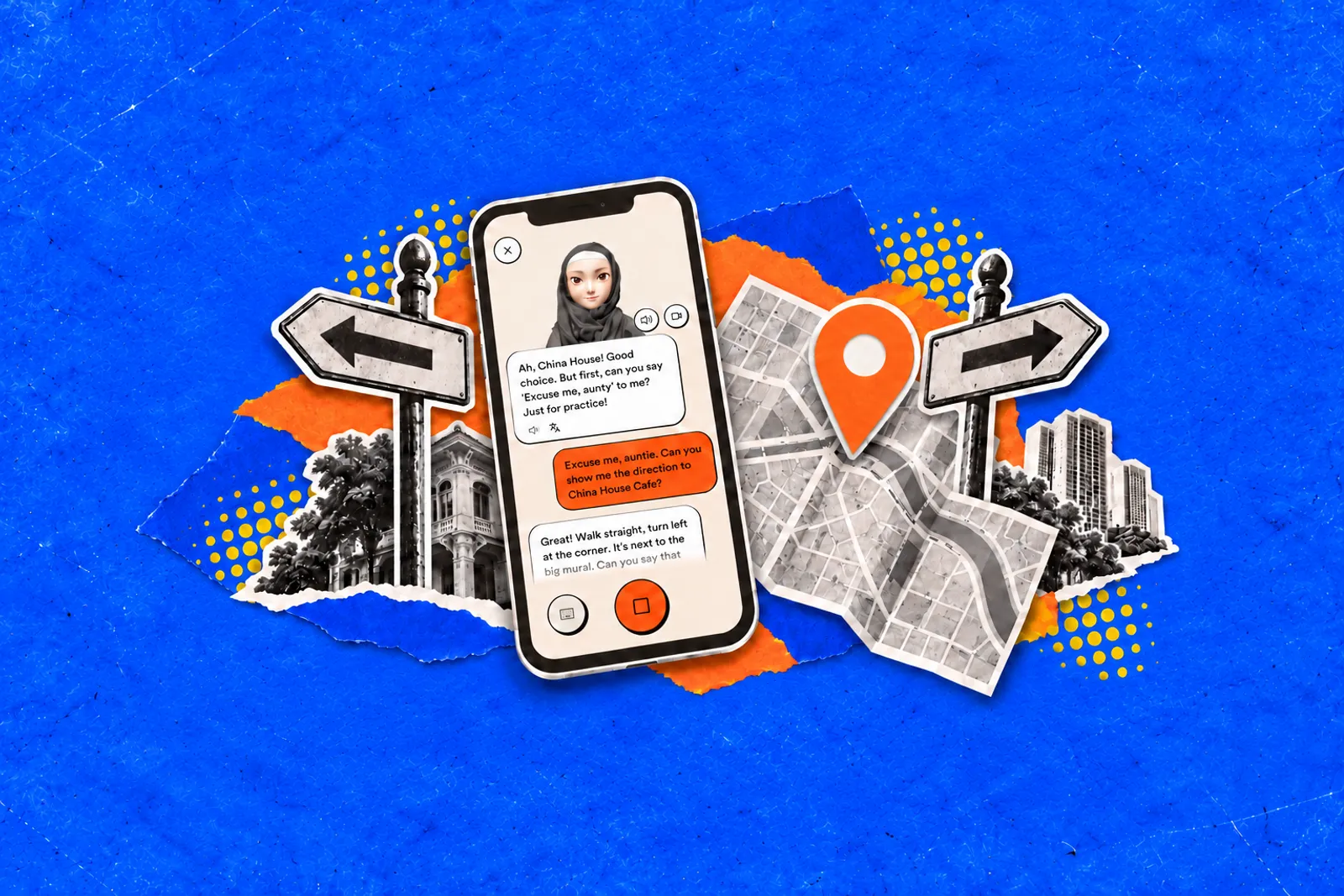
You chat with an AI avatar EN: avatar Watak digital yang mewakili seseorang di dalam aplikasi atau permainan. "A-va-tar" BM: watak digital playing a local stranger, ask for directions and repeat useful phrases to get more comfortable saying them.
A session takes about five minutes. You can speak or type, but try to speak up when you can.
How to get started?
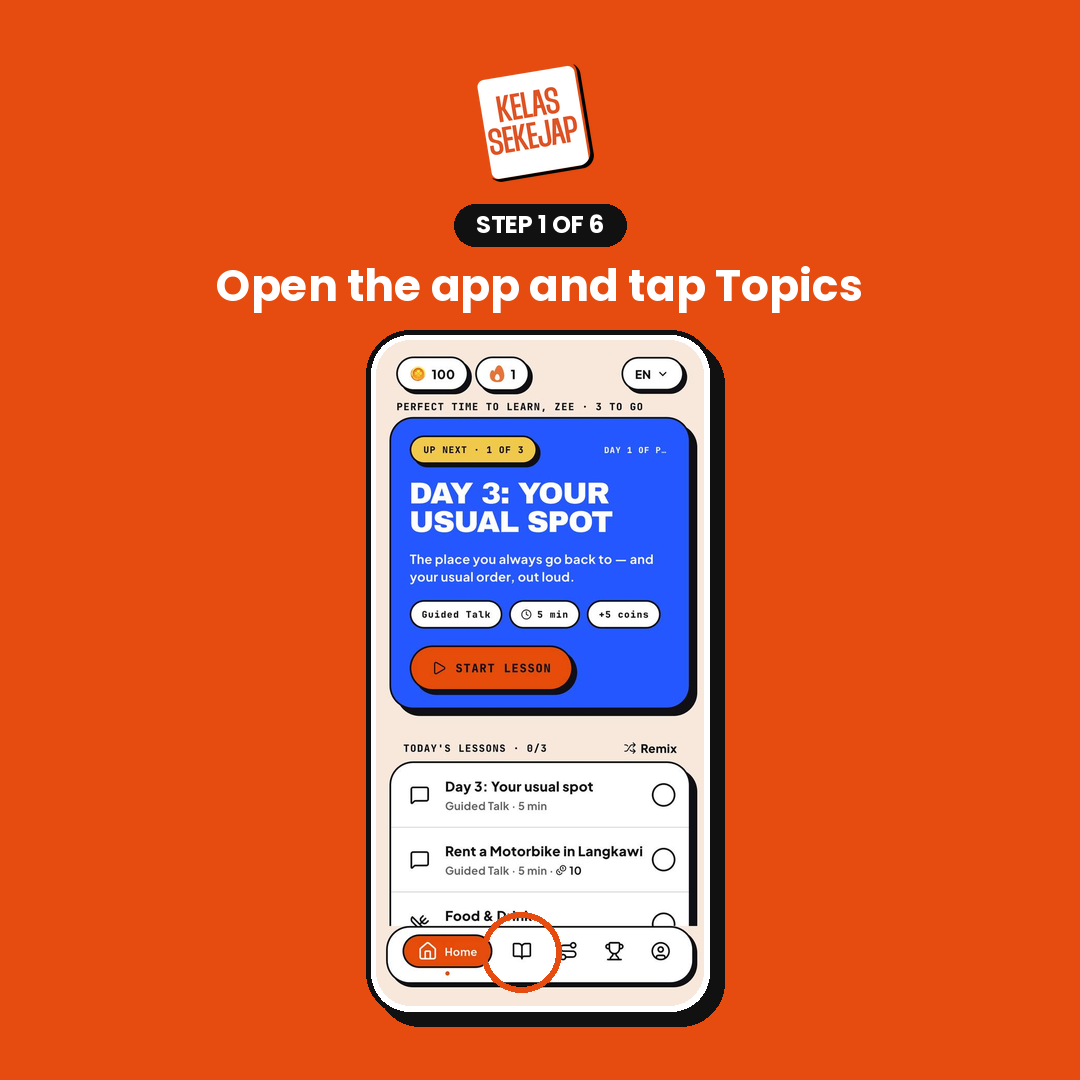
1. Open Topics
Launch the Kelas Sekejap app and tap Topics, the open-book icon on the bottom navigation bar.
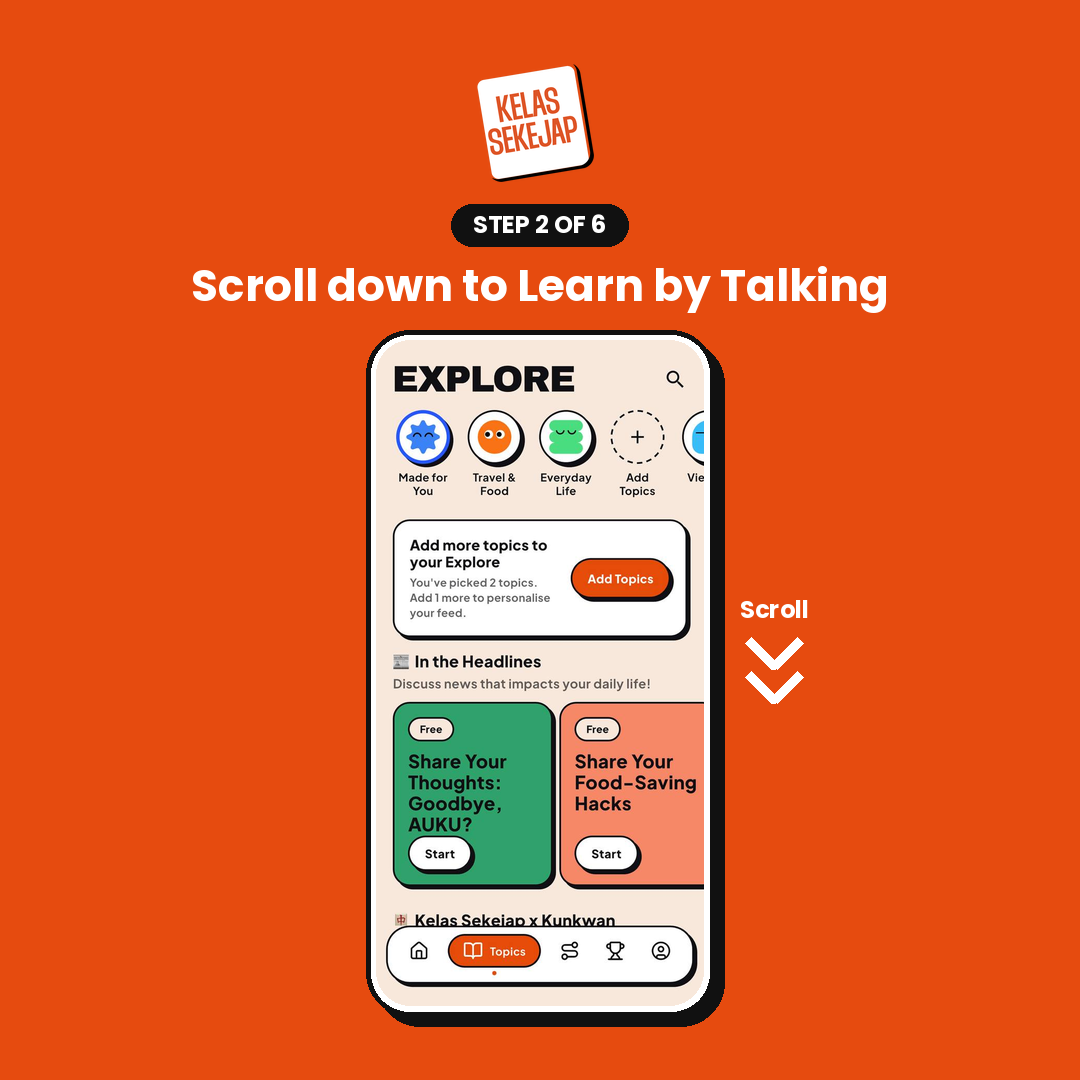
2. Find Learn by Talking
On the Explore page, scroll to Learn by Talking. This section includes everyday conversation scenarios, from ordering at a drive-through to visiting a clinic.
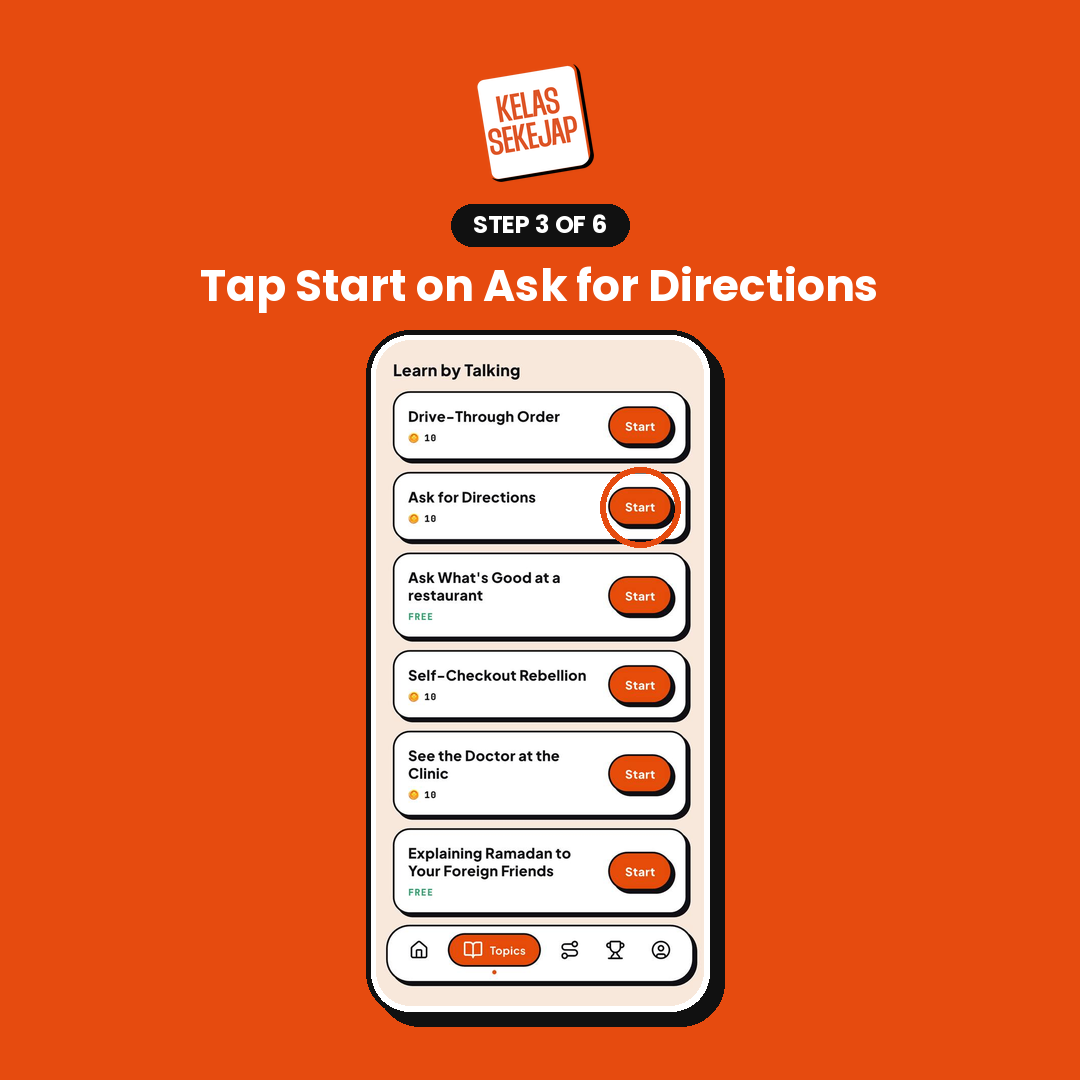
3. Choose Ask for Directions
Find Ask for Directions and tap Start. The lesson costs 10 coins, shown below the title. You can also try a lesson marked FREE to warm up first.
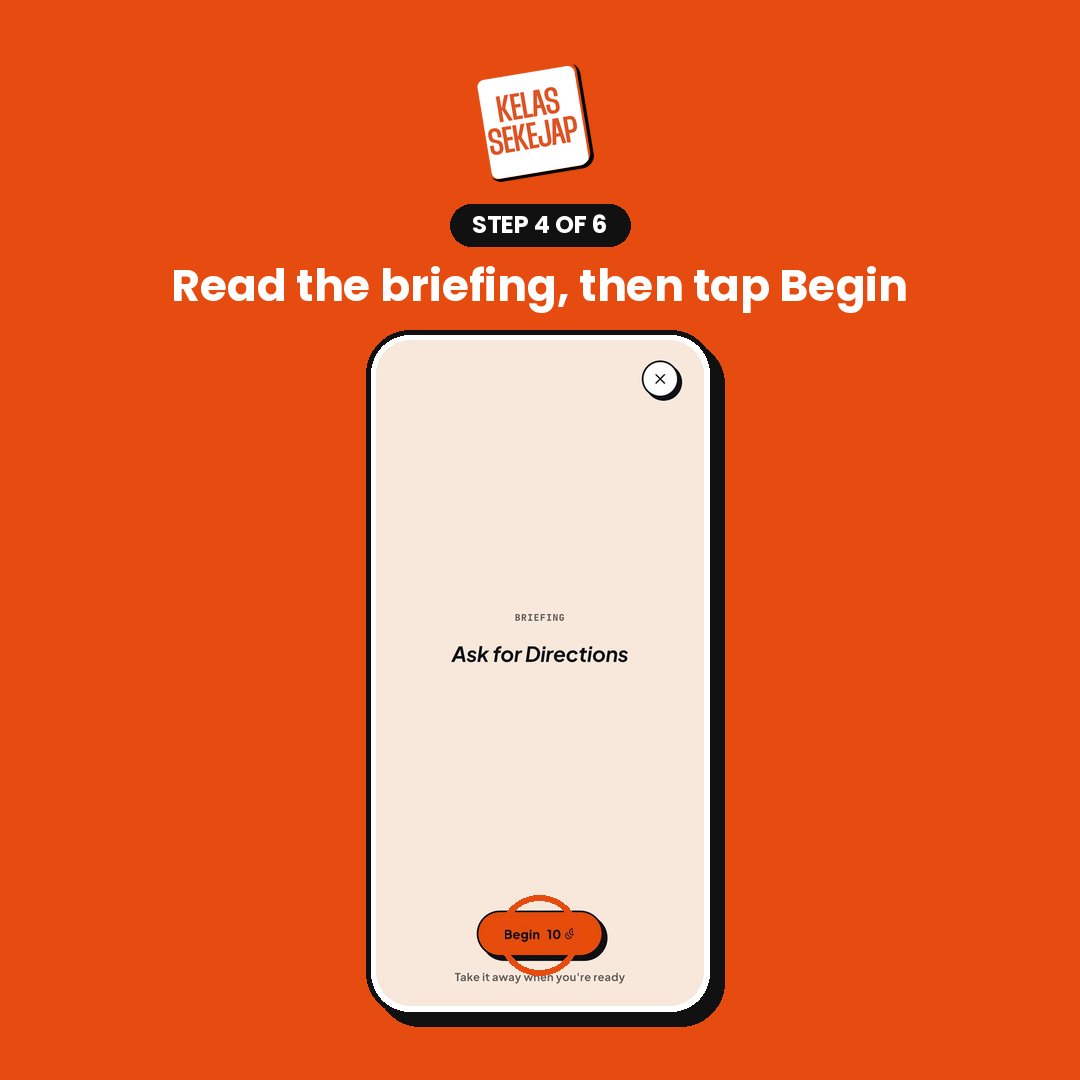
4. Read the briefing
Read the lesson introduction, then tap the orange Begin button. Your 10 coins are used when you begin.
5. Speak or type your reply
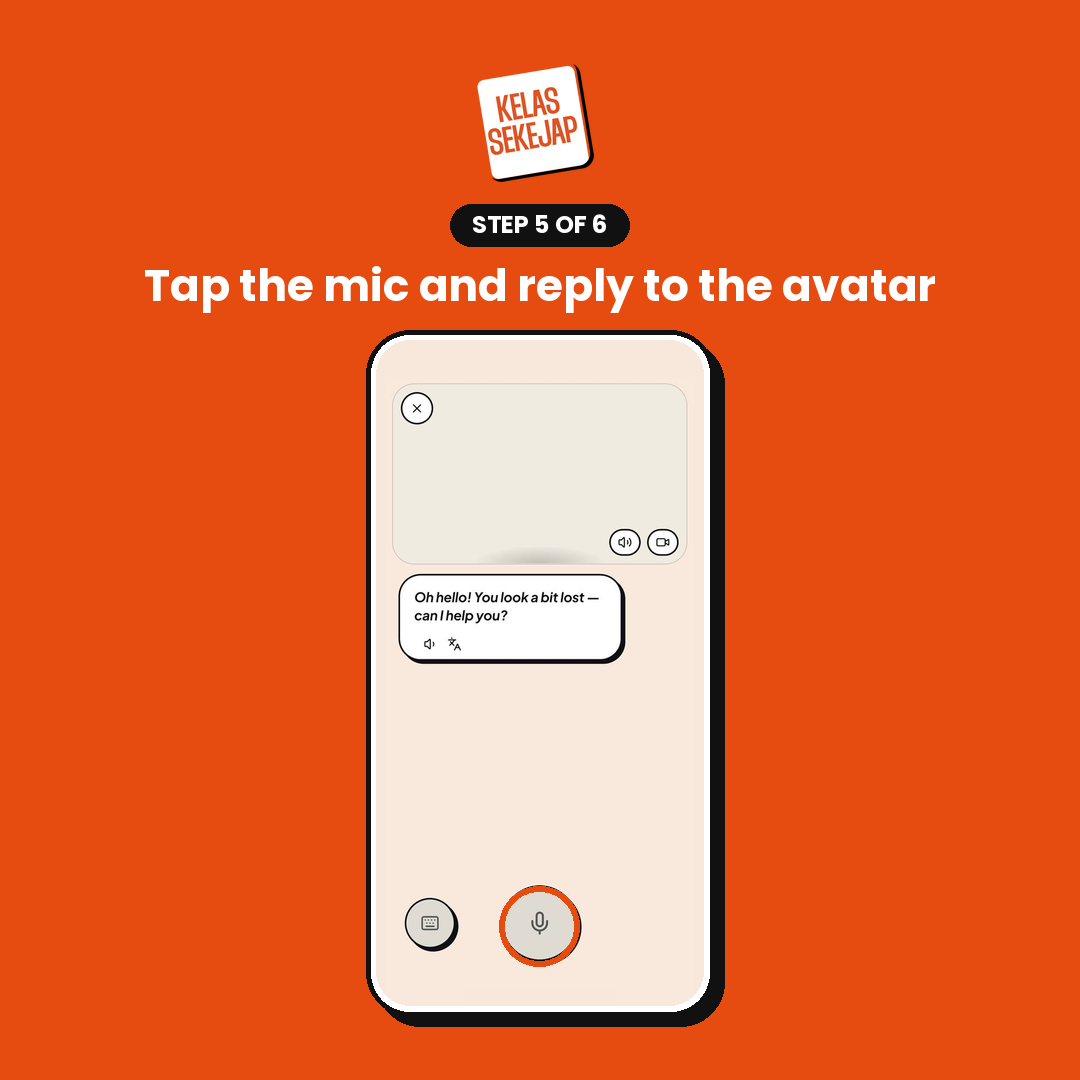
The avatar will greet you and offer to help. Imagine you are somewhere unfamiliar and need to find a café, train station or another nearby place.
Her lines appear in white speech bubbles. Your replies appear in orange bubbles on the right.
To speak: Tap the large microphone button and say your answer. It turns orange with a square stop icon while recording. Tap it again when you finish.
To type: Tap the keyboard button at the bottom left and enter your reply.
6. Listen, repeat and check
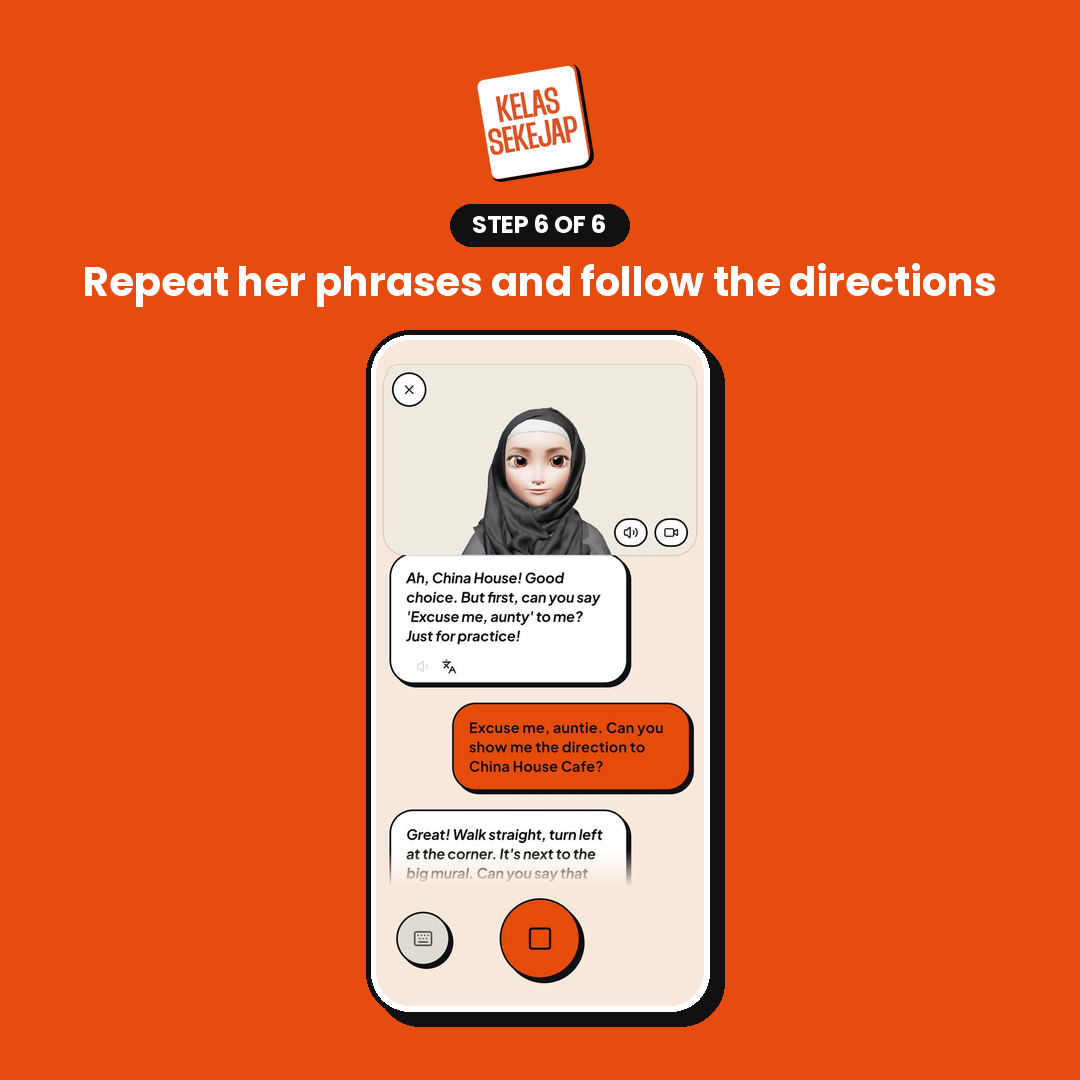
The avatar guides you through the conversation. She may ask you to practise getting someone’s attention before giving directions.
For example: “Go straight, then turn left at the corner.”
Try repeating the directions back. This helps you practise the words while checking that you understood them.
Use the tools when you need help
Speaker icon below a bubble: replays the line so you can listen again.
Translate icon below a bubble: shows the meaning of the line.
Sound and camera buttons: turn the avatar’s voice and video on or off.
X at the top left: ends the session.
Make the practice count
Say it out loud. Use the microphone when you can to build confidence speaking.
Ask another question. Try “Is it far?” or “How long does it take to walk there?”
Ask for clarification EN: clarification Penjelasan yang kita minta apabila kurang faham sesuatu. "kla-ri-fi-KAY-shen" BM: penjelasan . “Could you repeat that, please?” is useful practice too.
Try again with a different destination. Practise asking for a café, a station or a shop.
Useful phrases to try
Get someone’s attention: Excuse me, can you help me?
Ask for directions: How do I get to the train station?
Ask politely: Could you show me the way to the café?
Check the distance: Is it far from here?
Check whether you can walk: Can I walk there?
Ask them to repeat: Sorry, could you say that again, please?
Confirm the route: So I go straight, then turn left at the corner?
Thank them: Thank you so much for your help!
Give it five minutes
You do not need perfect English to ask for help. Start with one question, listen to the answer and ask again if you are unsure.
Open Kelas Sekejap → Topics → Learn by Talking → Ask for Directions and give it a try.